
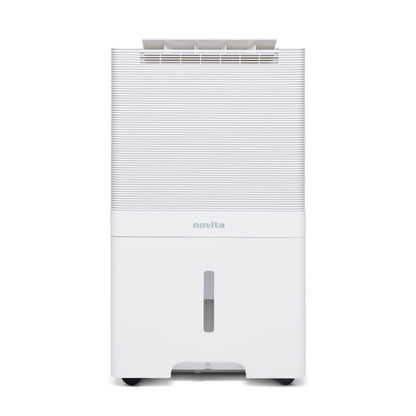
ND-60+Air-Purifier-Double-Protection

Dehumidifier + Air Purifier = Double Protection
Now you can Dehumidify & Purify at the same time. Keep humidity and air quality in check at all times!

ND-60+Air-Purifier-Semi-Permanent-Built-in-Ionizer

Reliable 5 Step purification with Semi-Permanent Built-in Ionizer, producing up to 20 million negative ions/cm3, this helps keep airborne allergens and germs at bay

ND-60+Air-Purifier-auto-restart-and auto-resume

Auto Restart and Auto Resume
comes on when the power resumes at the same humidity setting

Specifications

Extraction (l/24hr) (30°C, 80% RH) 60 liters/ day
Recommended Coverage for Dehumidification (Home I Industry) Upto 8000 cu.ft | 7,000 cu. ft.
Recommended Coverage for Air Purification (Home I Industry) Upto 7,000 cu. ft. | 6,000 cu. ft.
Power consumption, Power Supply 220V-240V/50HZ 1,010 Watts
Negative Ion Density* Up to 20 million / cm³
Air Flow Rate (Dehumidification) I (Air Purification) 630 m3/hr, 373 cfm | 500 m3/hr, 296 cfm
Dimensions (w X d X h) inches 15 x 11 x 26
Tank Capacity 7 liters
Compressor Rotary
Refrigerant R-410a
Empty Weight 21.5 kgs
Running Temperature 5°C – 37°C
Programmable Timer Available
Humidity Setting Electronic
Auto Restart Available
Auto Resume Available

FAQ

How do I turn on the ND60+ dehumidifier?

Just plug it into a power socket and press the Power button on the touch panel. The display will light up and it starts working.

How do I set or change the humidity level on the ND60+ dehumidifier?

Tap the up and down keys on the panel to cycle through humidity levels like 40%, 50%, 60%, 70%, and so on. For home use, 50 to 60% is the sweet spot. The digital display shows you the current humidity at all times so you always know where things stand.

For how much area is the ND60+ dehumidifier suitable for?

It covers up to 6,000 to 7,000 cu. ft. for homes i.e. big rooms, living areas or storage rooms.

Can the ND60+ dehumidifier be moved from room to room? How?

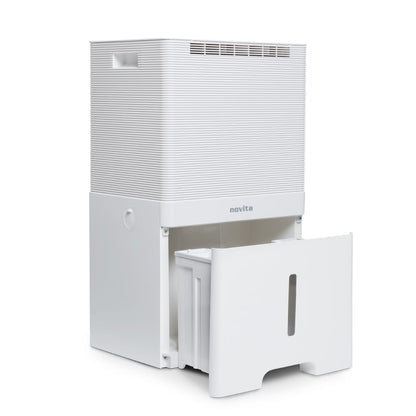
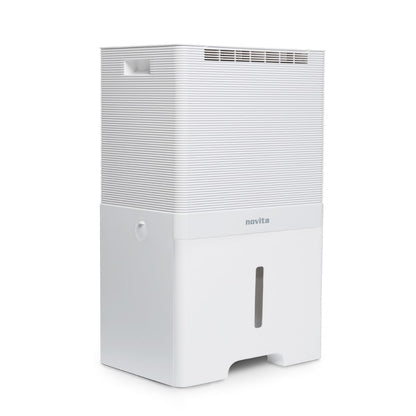
Yes, very easily. It has ledges on its left and right sides and has wheels at bottom for one to move it around.

Where does the water get collected? Tank or drainage?

Both options are available. By default, water collects inside a tank in the machine. The tank holds 7 litres and you simply pull it out, empty it, and put it back. If you do not want to keep emptying it, you can attach a hose to drain water directly into a floor drain continuously.

How long does it take for the tank to get full?

It depends on how humid your room is. The machine can pull up to 50 litres of water per day. With a 7 litre tank, in a very humid room it could fill up in 6 to 7 hours or less. In a less humid room, it may take more time.

What is better, water tank or drainage?

Tank is better if you use it occasionally or move it between rooms. Just empty when full.

Drainage is better if you want to run it continuously without checking on it.

One thing to note though, if you run it on continuous drainage mode, we recommend using an external timer to give the machine proper rest.

Can I change the fan speed of the ND60+ Dehumidifier?

Yes. On dry mode, it works on high speed and on sleep mode it works on low speed.

How many modes are there in the ND60+ Dehumidifier?

You can tap the respective mode keys on display panel to toggle between the modes.

On sleep mode, the dehumidifier will work on low fan speed.

On dry mode, the dehumidifier will work on high speed. This is suitable for drying wet clothes or when humidity otherwise is too high.

Does the ND60+ dehumidifier have a child lock?

Yes. The dehumidifier does not have child lock. Tap the timer key for a few seconds until you hear a beep and see the lock icon on the display to enable it and likewise to disable it.

What is an ionizer? Does the ND60+ dehumidifier have one?

An ionizer releases tiny negatively charged particles into the air. These particles latch on to dust, allergens, and pollutants and pull them down, leaving the air feeling fresher and cleaner.

Yes, ND60+ Dehumidifier has ionizer. Tap the ionizer key to enable or disable it, and it can also be seen on the display screen.

How do I clean the filter?

Clean the pre-filter mesh every 30 days. It can be rinsed with water, dried properly and put back.

For the carbon / HEPA filter, please clean it with a dry cloth, without water, once in every 30 days.

How long should I run the ND60+ dehumidifier for best results?

For the first few days, especially if the room is quite humid, run it continuously in a closed room with doors and windows shut. Once the humidity is in a good range, you can use the built-in timer to run it for a few hours a day to maintain it. To ensure a good life of your ND60+ dehumidifier, please do not use if for more than 12 hours every day.

How do I know the room humidity is under control?

Keep an eye on the digital display which shows current humidity in real time. The ideal humidity level for a home is between 50% and 60%. Once the display is consistently showing that, you are good.

Does the ND60+ dehumidifier also work as an air purifier?

Yes. With HEPA + Carbon filter inserted at the back, the ND60+ dehumidifier can also work as a dehumidifier + air purifier.

However, the display panel does not indicate the air quality of the room. It will indicate only the humidity level in RH%, and it is not an alternative to a dedicated air purifier.

How May I Help You?